For businesses on QuickBooks
Your paperwork, done by asking.
Connect QuickBooks to Claude, ChatGPT or Microsoft Copilot and say what needs doing: enter the invoices you dropped as bills, attach the receipts to their expenses, find who still owes you. Your assistant does it in your books, and asks before anything it can't take back.
Enter the invoices I dropped in the box this week as bills, with their PDFs attached.
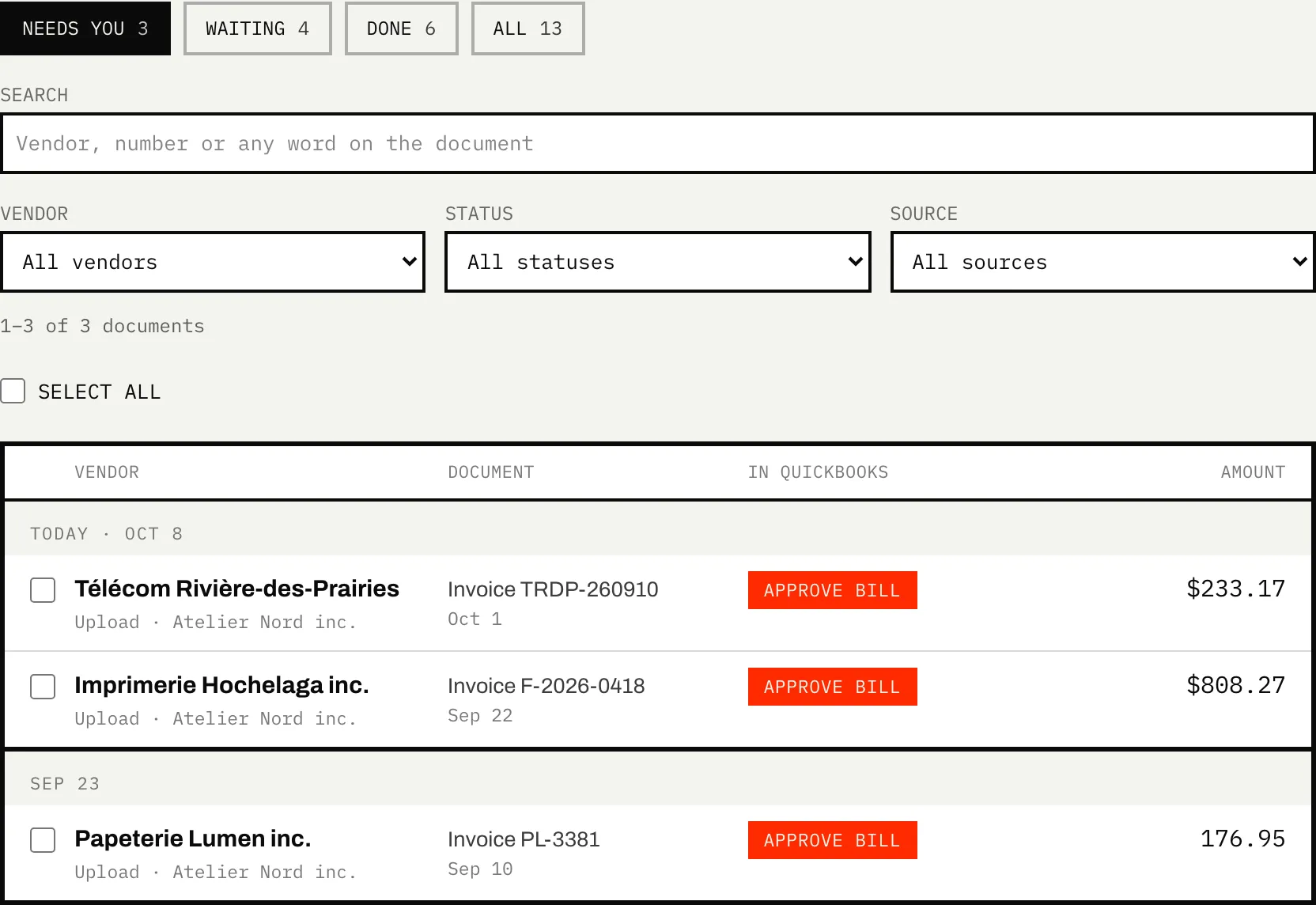
Three supplier invoices are waiting in your document box:
| Papeterie Lumen · PL-3381 | $176.95 |
| Imprimerie Hochelaga · F-2026-0418 | $808.27 |
| Télécom Rivière-des-Prairies · TRDP-260910 | $233.17 |
I'll enter each one as a bill, with the tax as it appears on the invoice, and attach its PDF. Go ahead?
Yes, enter them.
✓ Three bills entered, PDFs attached.
▌
↑How it works
- 01
Connect QuickBooks
Sign in with Intuit and pick your company. It starts read-only: your assistant can look but not touch until you switch on full access.
- 02
Add Caribooks to your assistant
Claude, ChatGPT or Microsoft Copilot, whichever you already use. The portal walks you through it in a few minutes.
- 03
Ask for the work
Drop or forward your receipts and invoices to your document box, then ask. Changes happen when you ask for them, and deletes, voids and emails need your yes on top.
- 04
Then let it run
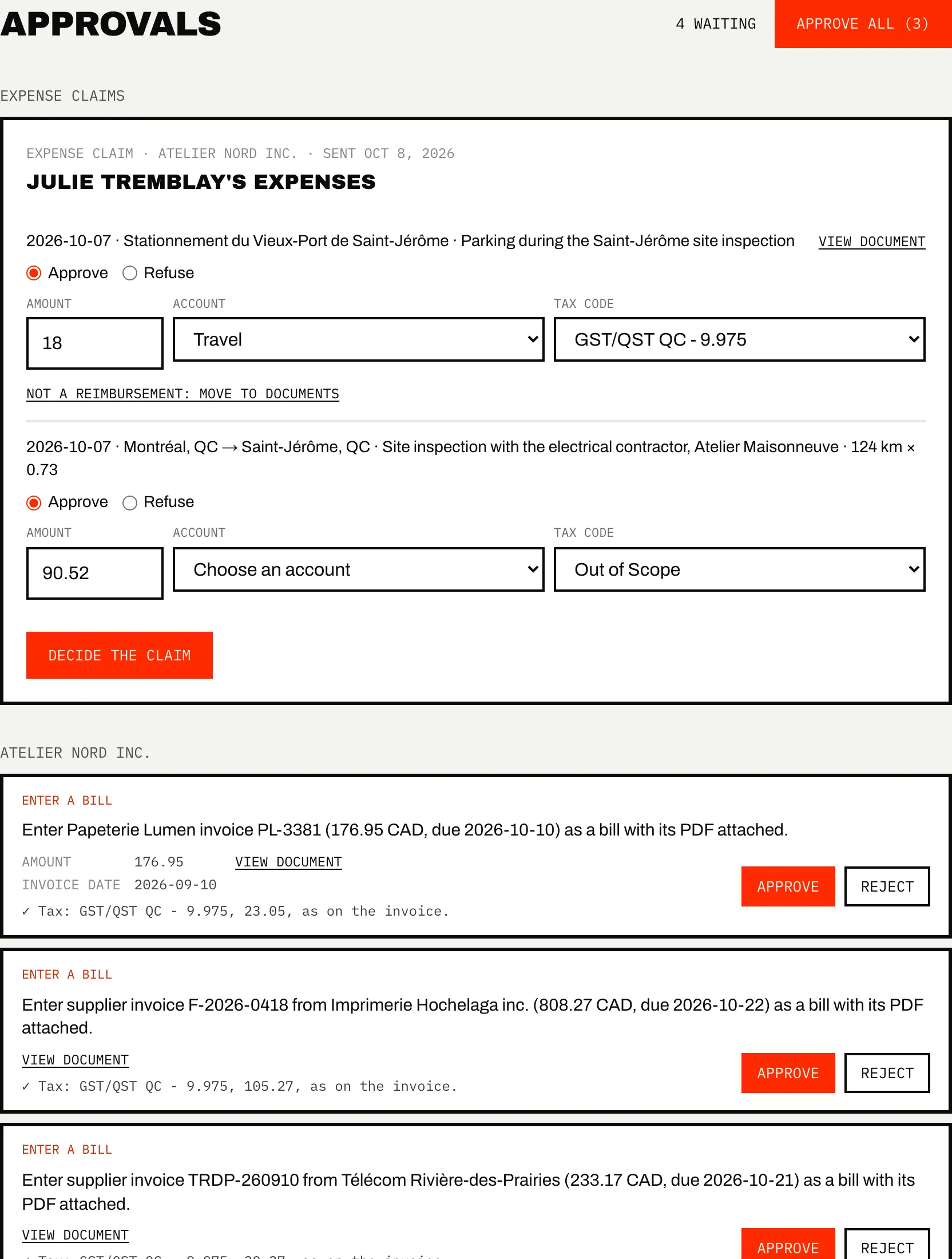
Once a chore is routine, Autopilot runs it on a schedule: receipts matched each morning, invoices collected from your mailbox and vendor sites. Each change waits in Approvals until you trust it to act alone.
What it does
- Answers questions from your whole ledger: profit and loss, who owes you, what you spent with a vendor this year.
- Enters bills, expenses, invoices and journal entries when you ask, on companies where you allow changes.
- Attaches receipts and invoices from your document box to their transactions in QuickBooks.
- With Autopilot, finds your vendors' invoices in your Outlook mailbox and on their websites.
What it doesn't do
- Work with QuickBooks Desktop, Xero or Sage. QuickBooks Online only.
- Move money. A payment recorded through Caribooks is an entry in your books, nothing more.
- Change your books behind your back. A loop proposes each change until you tell it otherwise.
- Replace your accountant. Caribooks does the entry and the digging; the judgment calls stay with your accountant.
→ Step by step, in the help center: How Caribooks works
Which plan
Ask, enter and attach from the box with the Connector. Add Autopilot when you want the chores to run on their own. The 14-day trial covers both, with no card.
One business? Leave it at 1. An accounting firm or a group of companies? Slide to your number.
Connector
1 company
$39
/ month
- The whole QuickBooks ledger in Claude, ChatGPT and Copilot
- Document box and email forwarding
- Read-only until you enable writes
Recommended for businesses
Autopilot
1 company
$149
/ month
✓ Connector included
- Everything in Connector
- Loops that run on your schedule
- Invoices collected from your mailbox and vendor portals
- Rules you state once, applied on every run
- Every change reviewed with its document
The rest of Caribooks
- Ask your booksQuickBooks in Claude, ChatGPT and Copilot: reports, lookups and entries in one sentence.
- Missing receiptsExpenses with no receipt found, and their receipts dug out of your email.
- Vendor portalsThe invoices that never reach your inbox, collected from the vendor's site.
- Expense claimsEmployees' receipts and mileage through a link, one bill for each approved claim.
- Client documentsAn address and a drop link for each company: documents land in the right file.
Questions
Is it safe to let an AI into my books?
Each company starts read-only. Changes need full access, which only the account owner switches on, and deletes, voids and emails need your yes on top. Caribooks never moves money. The security page lists what is stored, where, and who can reach it.
Do I need to know accounting?
No. You ask in plain words: "enter this invoice", "what did I spend on fuel this year". The assistant picks the account from how your books were kept before, and you can save rules ("Uber goes to Travel") that it follows from then on.
Which assistant do I need?
Claude, ChatGPT or Microsoft Copilot. The setup page shows the steps for each one, and the portal checks that the connection works.
What happens after the trial?
The 14-day trial covers everything and starts when you connect QuickBooks. After it, you choose a plan or Caribooks stops working on your books. Nothing is charged on its own.
Try it on your own books.
14 days, the whole product, no card. The trial starts when you connect QuickBooks.