Feature · Autopilot
Expense claims, without the spreadsheet.
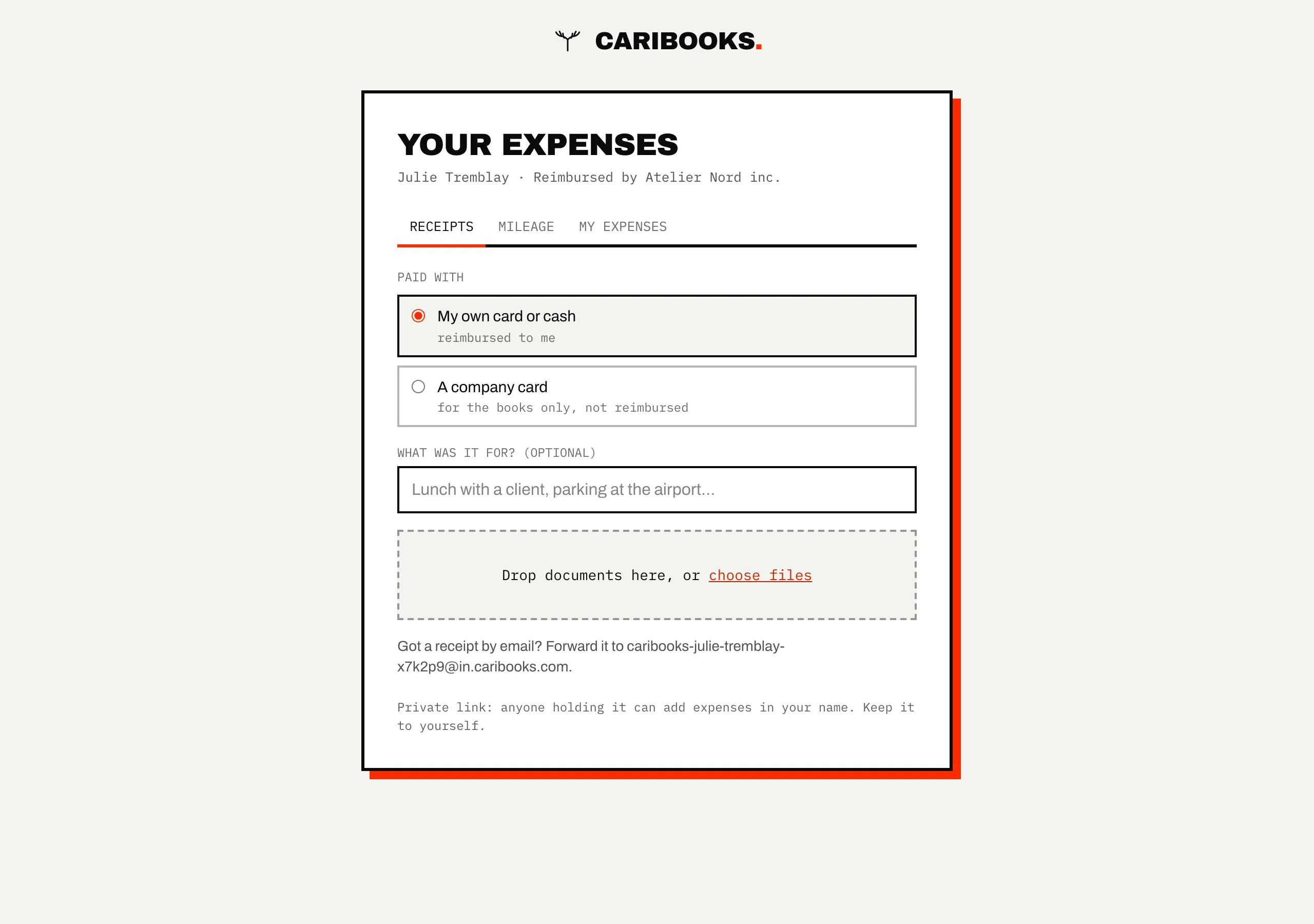
People pay with their own card, keep the receipts in a wallet and send a spreadsheet at month end. With Caribooks each person you repay gets a private page and an email address for receipts and car trips. You approve the claim line by line, and it becomes one bill to them in QuickBooks, receipts attached.
How it works
- 01
Add the people you repay
An employee, a partner, yourself. Each receives a page link and an email address, with no account to create.
- 02
They send receipts and trips
A photo of the receipt, or the email forwarded to their address; trips with from, to, purpose and distance. The claim goes to Approvals when they send it, or on its own on the 1st of the month.
- 03
You decide, the bill is written
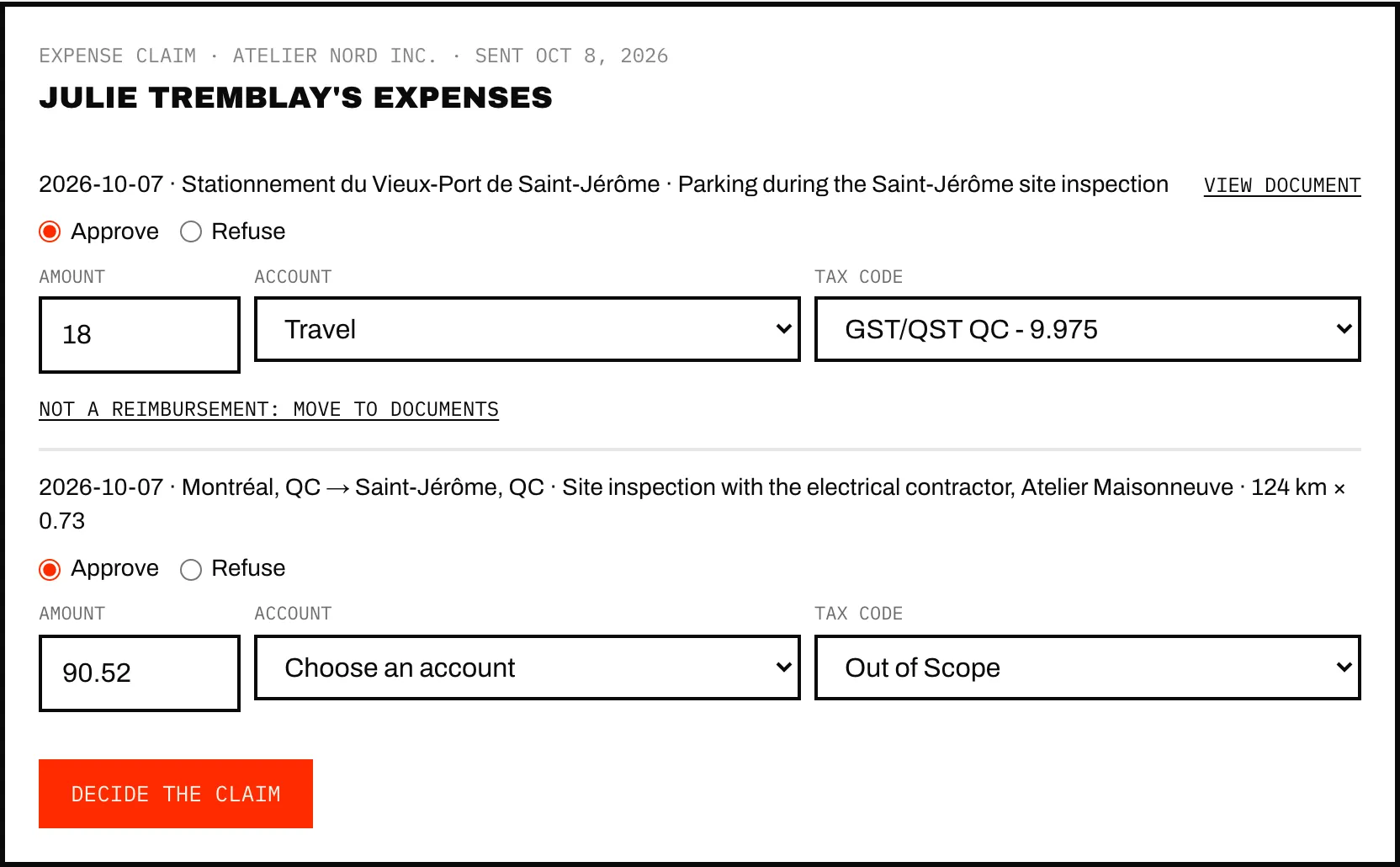
Approve or refuse each line with an amount, an account and a tax code. Approved lines become one bill to the person, with every receipt attached. Once the bill is paid, they are told.
What it does
- Pays mileage at your rate, starting from your QuickBooks mileage rate or the official one (CRA in Canada, IRS in the United States), with a second rate past a yearly threshold if you use one.
- Converts a foreign receipt at the Bank of Canada's rate for its date, plus 2.5% for the card's fee.
- Flags a receipt paid with one of your company cards, one already claimed, or one missing its GST/HST or QST number.
- Proposes each line's account from the person's usual expenses and your rules.
What it doesn't do
- Repay anyone. You pay the person your usual way, and the claim shows Reimbursed once the bill's balance is zero.
- Work from the chat. Claims live in the portal; your assistant has no tools for them.
- Track trips by GPS. People type the trip: from, to and distance.
→ Step by step, in the help center: Expense claims
Which plan
Expense claims come with Autopilot, for every company it covers, with no charge per person.
Autopilot
From $149 / month
One company, the Connector included.
The rest of Caribooks
- Missing receiptsExpenses with no receipt found, and their receipts dug out of your email.
- Client documentsAn address and a drop link for each company: documents land in the right file.
- Ask your booksQuickBooks in Claude, ChatGPT and Copilot: reports, lookups and entries in one sentence.
- Vendor portalsThe invoices that never reach your inbox, collected from the vendor's site.
Questions
Who can open a person's page?
Anyone holding the link, as with a drop link, which is why you can replace it at any time: the old link and address stop working at once.
What if someone forgets to send their claim?
A claim with anything in it is sent on its own on the 1st of the month.
Does the person have to be an employee in QuickBooks?
No. Each person is a vendor in the company's books. Caribooks offers to use an existing one or creates a new one.
Try it on your own books.
14 days, the whole product, no card. The trial starts when you connect QuickBooks.