Feature · Connector
Every client's documents, in the right file.
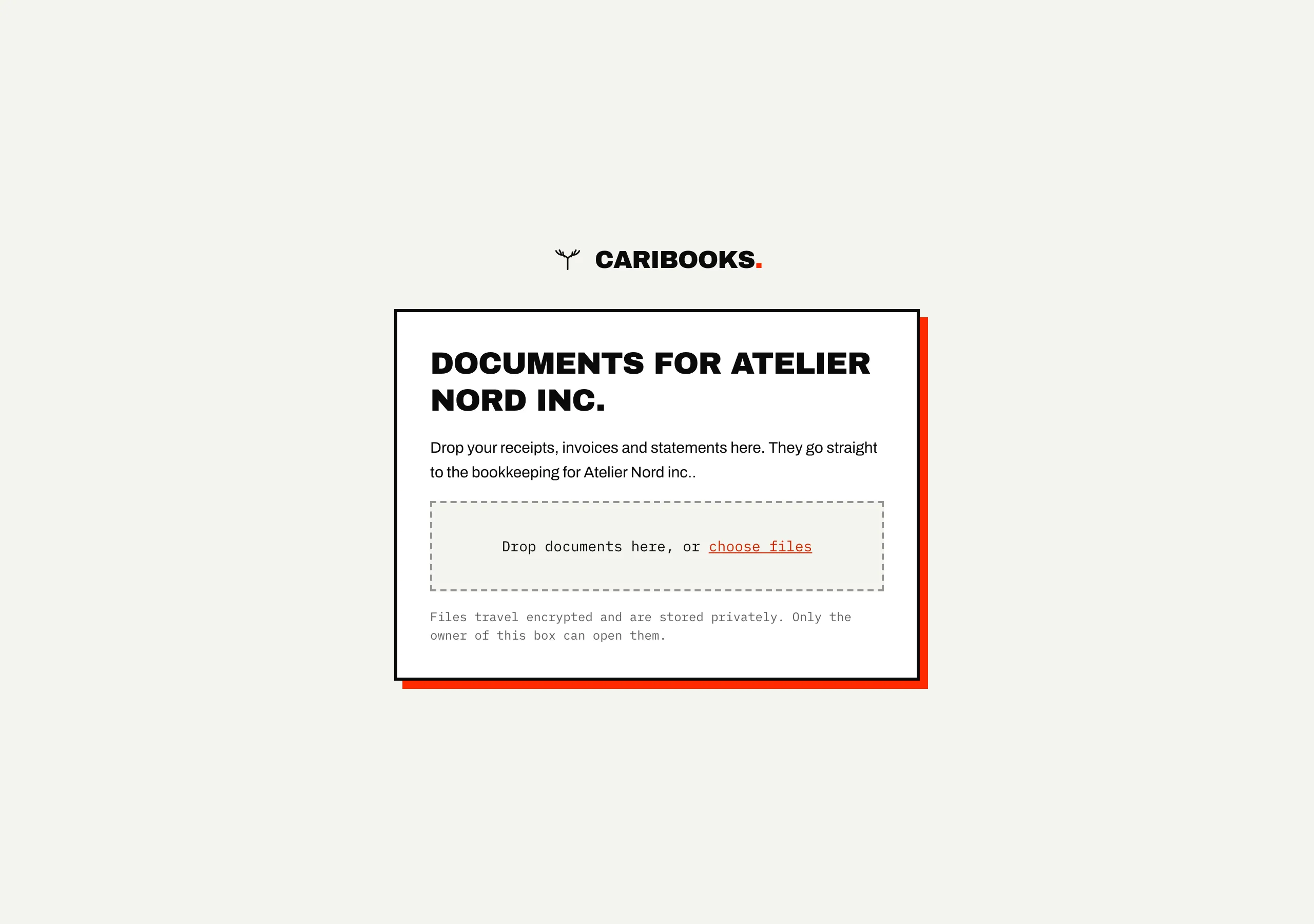
Receipts by text, statements by email, invoices in a shared drive: collecting documents from clients is half the job. With Caribooks each client gets one email address and one drop link. What they send lands in their own file, read and searchable, ready to attach in QuickBooks.
How it works
- 01
Give each client an address and a link
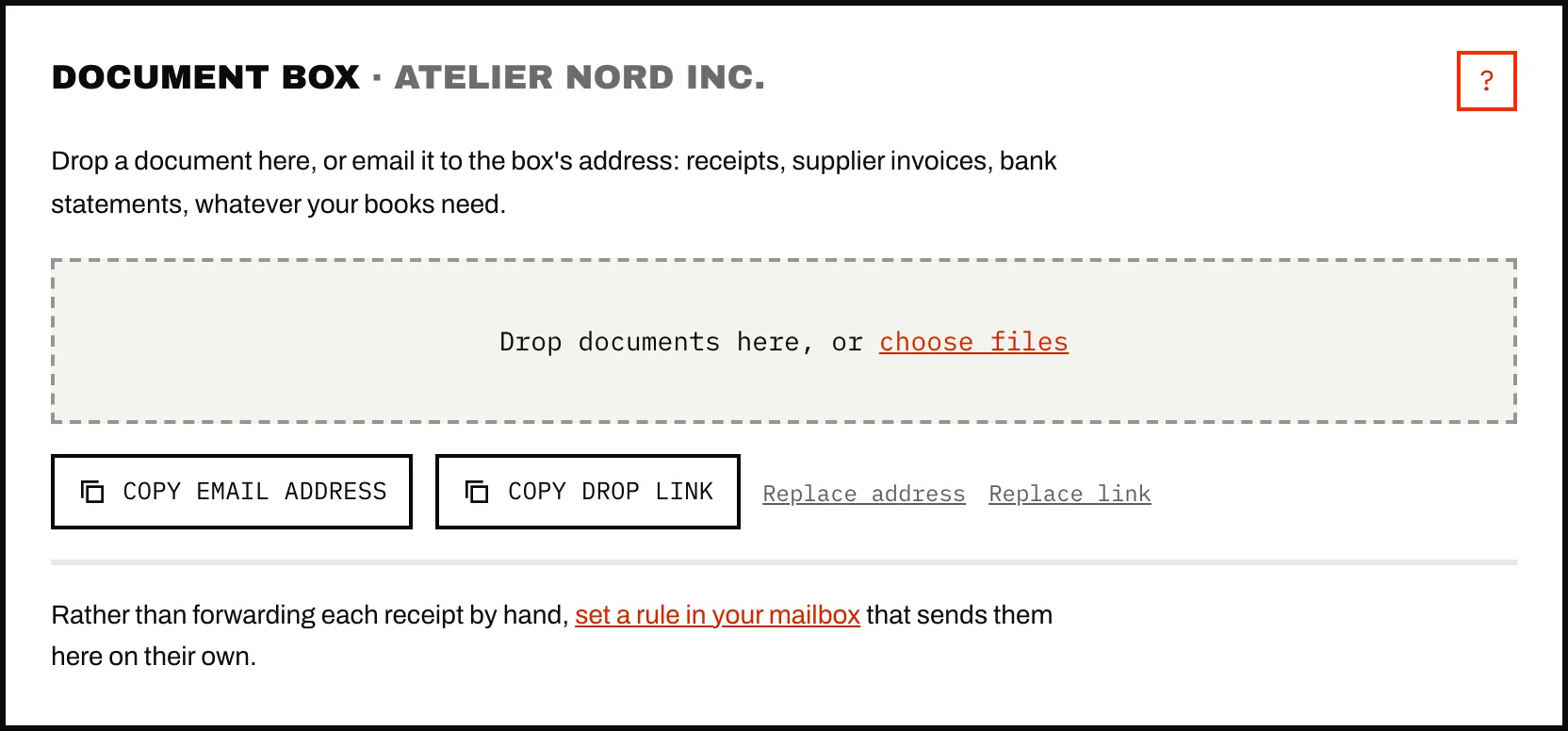
Every company in your account has its own receiving address and a drop link that opens with no account and no password. On a phone, the link saves to the home screen as a one-tap receipt button.
- 02
Files land with the right company
Whatever comes through a client's own address or link belongs to that client from the start. Files sent to your account's shared address are sorted by who the document is billed to, and a file nothing settles waits for you rather than going to the wrong client.
- 03
Read once, ready to attach
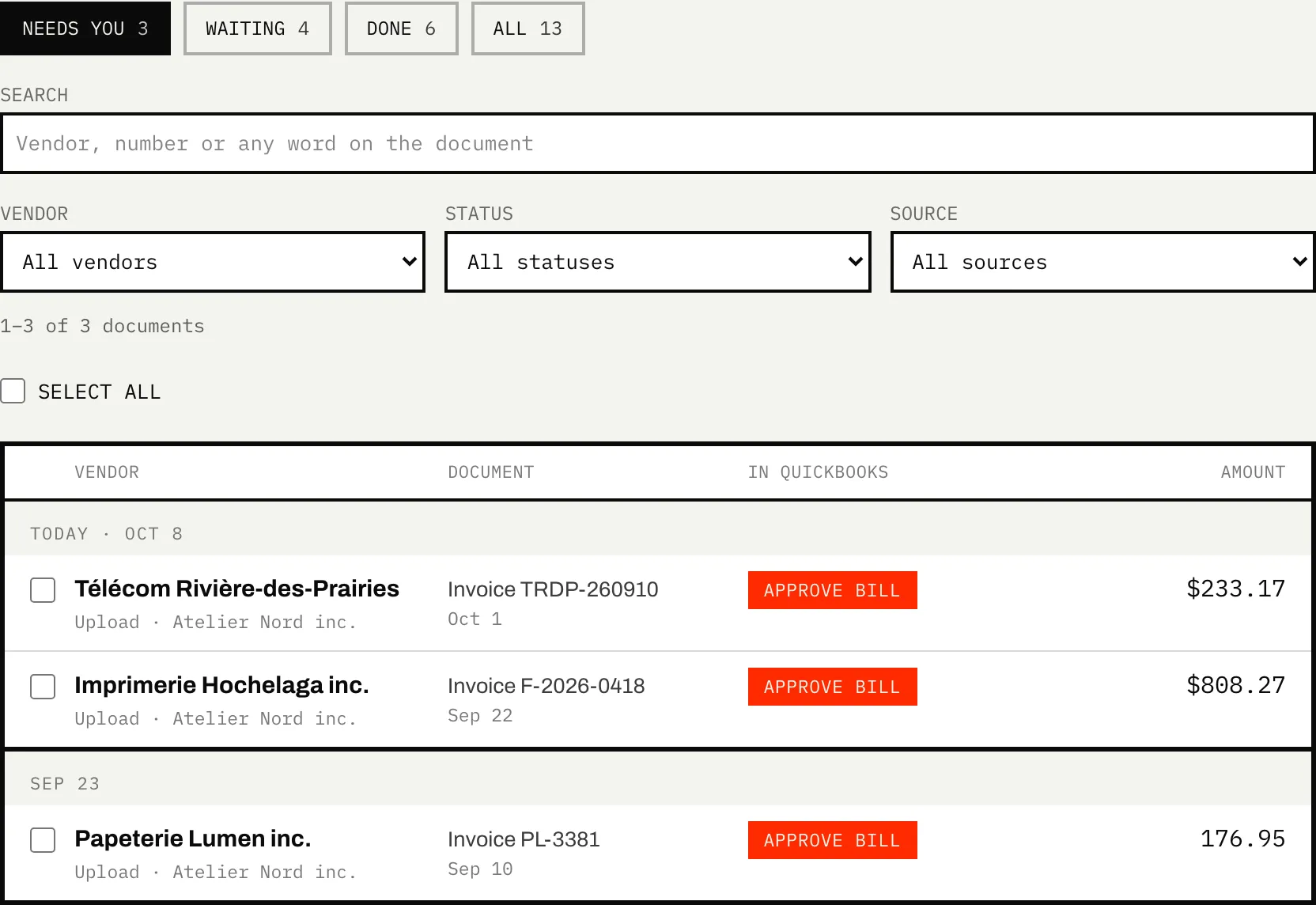
Caribooks reads each document (vendor, date, total, taxes, items bought), so you find it by any word on it, and your assistant or a loop can attach it to its transaction.
What it does
- Takes PDFs, photos, Word, Excel and CSV files, up to 50 MB each, by email, drop link or upload.
- Turns an email with no attachment into a PDF, so a receipt that exists only as an email still counts.
- Keeps a file once, however many times it is sent.
- Shows the person dropping files only their own company's name.
What it doesn't do
- Send your clients reminders by itself.
- Give clients a login or a view of their books.
- Take more than 300 files a day through drop links, per account.
- Attach anything in QuickBooks on its own. That is your assistant's job, or a loop's with Autopilot.
→ Step by step, in the help center: Receiving addresses and drop links
Which plan
The document box, its addresses and its drop links come with every plan, the Connector included.
Connector
From $39 / month
One company; up to 25 on the larger bundles.
The rest of Caribooks
- Accounting firmsEvery client in one assistant, and their documents sorted to the right file.
- Missing receiptsExpenses with no receipt found, and their receipts dug out of your email.
- Ask your booksQuickBooks in Claude, ChatGPT and Copilot: reports, lookups and entries in one sentence.
- Expense claimsEmployees' receipts and mileage through a link, one bill for each approved claim.
Questions
Do my clients need a Caribooks account?
No. The drop link and the email address work without one.
What about a gas receipt that names no company?
Send it through that company's own address or link. Files that come that way skip sorting and belong to the company from the start.
A client shared their link too widely. Now what?
Replace link (or Replace address) gives a new one. The old one stops working at once, and the documents already in the box stay.
Try it on your own books.
14 days, the whole product, no card. The trial starts when you connect QuickBooks.