For accounting firms and bookkeepers
Every client's books, in one assistant.
Connect each client's QuickBooks company once, then ask Claude, ChatGPT or Copilot about any of them by name. Each client also gets an email address and a drop link of their own, so receipts land in the right file without anyone sorting them.
Which clients have September expenses with no receipt attached?
Three of your 12 companies do:
| Atelier Nord inc. · 23 expenses | $4,812.40 |
| Boulangerie Saint-Roch · 11 expenses | $1,906.15 |
| Studio Nord · 6 expenses | $644.80 |
Nine of Atelier Nord's 23 have a matching file in its document box. Attach those nine?
Yes, for Atelier Nord.
✓ Nine receipts attached to Atelier Nord's expenses.
▌
↑What you get
- 01
Every client in one conversation
Connect each client's QuickBooks once. Your assistant lists them, and you name the one you mean: "for Atelier Nord, …". Each company is read-only or full access, your call, one company at a time.
- 02
Documents that arrive sorted
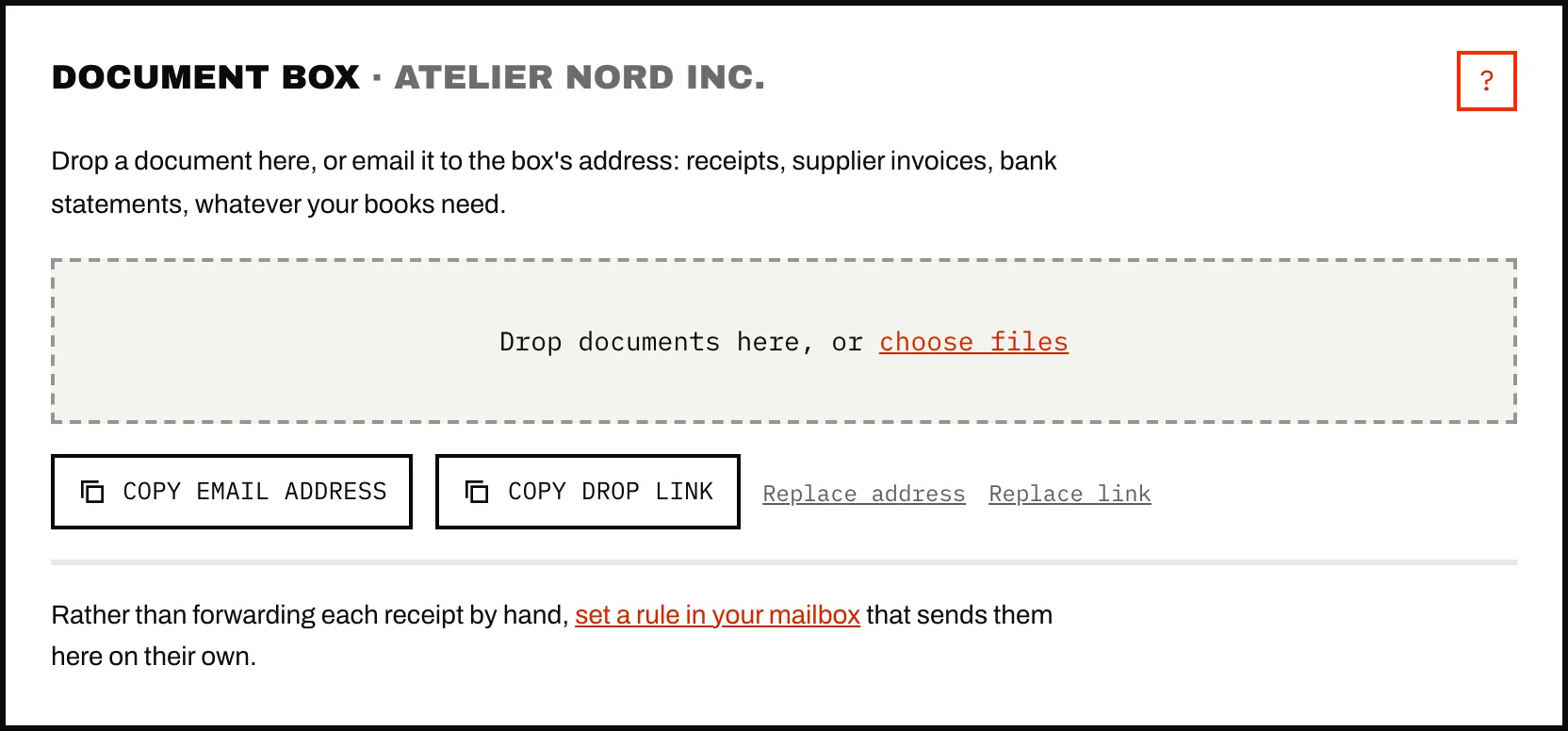
Each client gets an email address and a drop link that opens without a login. Files sent through them belong to that client from the start. Your account's shared address sorts what comes in by who the document is billed to.
- 03
Autopilot, client by client
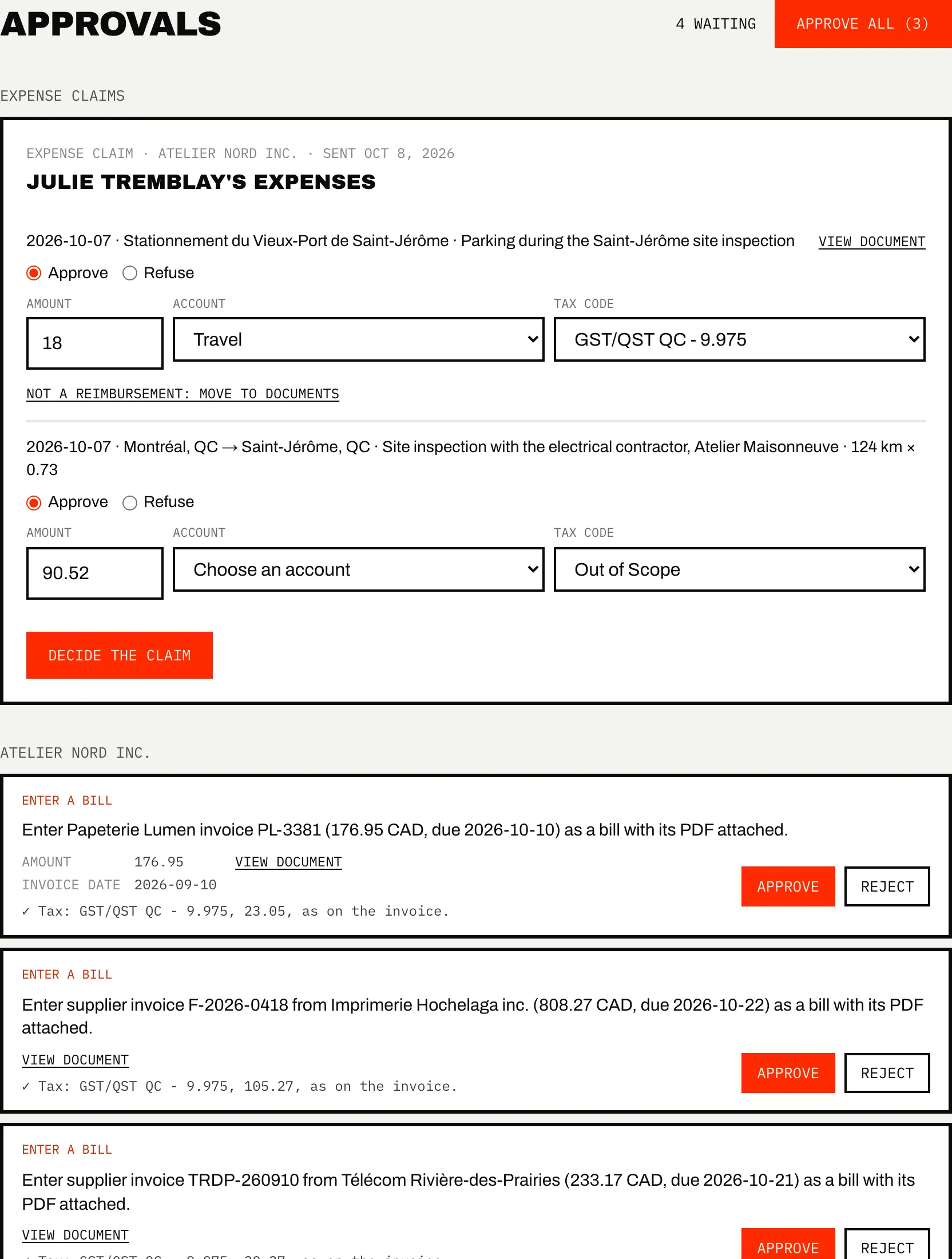
Loops that attach receipts, enter supplier invoices and check statements, each client with their own rules. Every change waits in Approvals with its document.
- 04
Your whole team, no seat fees
Colleagues join with their own sign-in and their own assistant. Approvals show who decided each change. Billing and access levels stay with the account owner.
What it does
- Reads every client's ledger and runs QuickBooks' own reports, by month, class, customer or vendor.
- Takes documents by email, drop link or upload, reads each one once (vendor, date, total, taxes) and makes it searchable.
- Keeps each client's rules, loops and approvals apart.
- Prices by the number of companies, never by document or by user.
What it doesn't do
- Chase your clients for missing documents on its own. It shows you what is missing; the reminder is yours to send.
- Give your clients a login. They send through their address or drop link; the portal is for your team.
- Work with Xero, Sage or QuickBooks Desktop.
- Hold a SOC 2 report yet. The security page says what is stored, where, and who can reach it.
→ Step by step, in the help center: Receiving addresses and drop links
Which plan
One price per bundle of companies: the Connector for every client, Autopilot for the ones you want run on a schedule. Team members cost nothing.
One business? Leave it at 1. An accounting firm or a group of companies? Slide to your number.
Connector
Up to 5 companies
$99
/ month
About $20 per company at 5
- Every company's books in Claude, ChatGPT and Copilot
- Document box and email forwarding
- Read-only until you enable writes
Recommended
Autopilot
Up to 5 companies
$299
/ month
✓ Connector included
About $60 per company at 5
- Everything in Connector
- Loops, mailboxes and vendor portals for each company
- Rules and approvals kept separate for each company
Companies on Autopilot don't pay an additional connector fee.
Bundles reserve their full capacity, even while some slots are empty.
Past 25 companies, you pay for each company, and each one costs a little less than the one before.
More than 500 companies? Contact us
The rest of Caribooks
- Ask your booksQuickBooks in Claude, ChatGPT and Copilot: reports, lookups and entries in one sentence.
- Client documentsAn address and a drop link for each company: documents land in the right file.
- Missing receiptsExpenses with no receipt found, and their receipts dug out of your email.
- Expense claimsEmployees' receipts and mileage through a link, one bill for each approved claim.
- Vendor portalsThe invoices that never reach your inbox, collected from the vendor's site.
Questions
Does a client see my other clients?
No. A client's drop page shows only their own company's name. Your account's drop link names no company, so it never shows your client list.
Can I mix Connector and Autopilot clients?
Yes. Each company is set to Off, Connector or Autopilot on the Billing page, and you pay for the bundle that fits each count.
A client's company is already on Caribooks. Can I add it?
A QuickBooks company belongs to one Caribooks account at a time. When you try to connect one that is already on another account, you can ask to join that account, and its owner answers.
Do clients in the United States work?
Yes. Canadian and US QuickBooks Online companies both work, and bills take each company's own tax codes.
Try it on your own books.
14 days, the whole product, no card. The trial starts when you connect QuickBooks.